


Bitdefender Mobile Security
4.727.10K Reviews
App Specs
- Version
- 3.3.321.2571
- Updated On
- License
- Free
- Downloads
- 10,000,000+
- Developer
- Bitdefender
- Categories
- Tools
- Platform
- Android, iOS
Screenshots

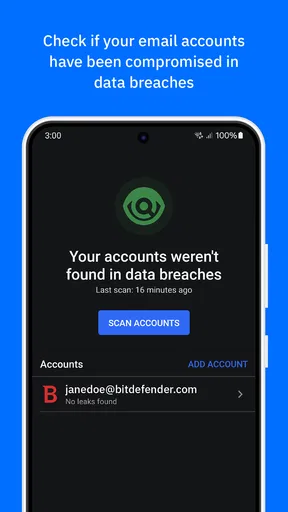
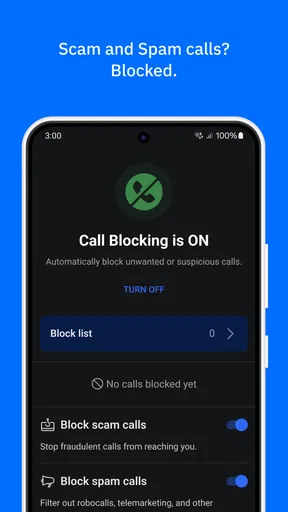
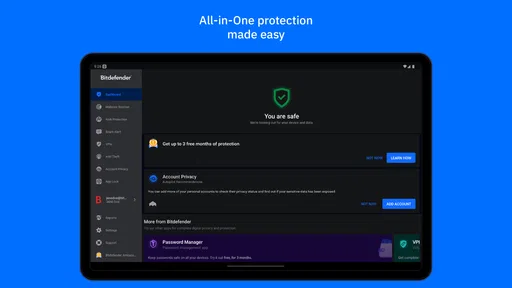
 Analysis by AppCompare
Phone security is easiest to manage when it becomes a routine rather than a response to a scare. I’d use Bitdefender Mobile Security as one layer in that routine: check its status, pay attention when it flags a risk, and keep the phone’s own updates and built-in protections in place. That practical approach matters more to me than treating any security app as a guarantee that nothing can go wrong.
A sensible routine for everyday protection
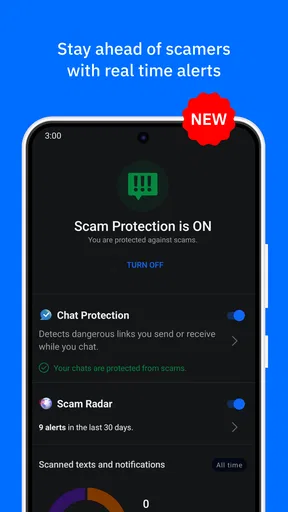
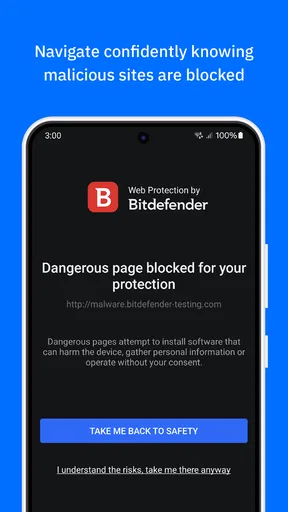
My baseline workflow would be simple: open the app after setup, review its security status, and deal with any prompts before moving on. If I receive an unexpected message with a link, I’d avoid opening it directly and let the app’s web protection help assess the destination if I do need to visit it. The useful habit is not to click more confidently, but to pause and check when something feels off.
That makes the app most appealing to people who browse, shop, and handle everyday accounts on their phones and want security guidance without having to interpret technical logs. Bitdefender is a tools app from Bitdefender, and its focus on scanning, web safety, and device protection suits someone who wants those tasks gathered in one place. It has a 4.6 average from around 469,000 ratings, with more than 10 million installs; that scale suggests it is a familiar choice, though popularity alone cannot tell you whether its approach fits your habits.
For a realistic example, imagine you are checking a delivery notification while waiting for a bus. The message asks you to confirm a detail through a link. I would first check whether I expected the message and whether the sender looks legitimate, rather than assuming an alert-free screen means the link is safe. Web protection can provide another check when browsing, but it works best alongside ordinary caution, not instead of it.
Settings and habits worth reviewing
During setup, I would take a moment to understand which protections are active and what the app is asking me to enable. Security tools can depend on system-level access or background activity to do their jobs, so it is worth reading each prompt rather than tapping through automatically. If a feature matters to you, confirm that it remains enabled after setup and after any major phone change.
I would also decide in advance how I want to handle notifications. A warning about a suspicious page deserves attention; a routine status message may not need to interrupt the middle of a task. Keeping alerts useful means responding to meaningful prompts instead of dismissing everything out of habit. If an alert is unclear, opening the app to review the explanation is a better move than guessing from a notification alone.
Another practical choice is whether to use App Lock for only the most sensitive apps. Locking everything can add friction every time you switch tasks, while focusing on private messages or financial apps may give a better balance. It is an extra barrier if someone is holding an already-unlocked phone, but it does not replace a strong device passcode or careful account security.
Worth Reading Before You Choose

EA SPORTS FC Mobile 26 Is a Bigger Football Game, but It Takes Time

Flipboard Shows What News Apps Must Do Beyond the Feed

Switching to Android Auto Means Rethinking Your Driving Routine

Google Calendar Makes a Crowded Week Easier to Manage

Ludo King Makes the Most of the Minutes Between Plans

Baby Panda World Brings Quick Play to Modern Phones, but Its Game Library Feels Busy
The app is free to download and rated for Everyone, but some features involve in-app purchases ranging from $0.99 to $159.99 per item. I would check what a purchase covers and whether it is a recurring subscription before committing; the free entry point does not mean every protection is included at no cost. The current version is 3.3.284.2543, and it requires Android 6.0 or later. Those details are useful when deciding whether an older phone can run it and whether the available plan matches what you actually need.
Faster patterns without overcomplicating things
Once the basics are set, the best shortcut is a repeatable response: pause at unexpected links, heed a specific warning, and review the app’s status when you have a calm moment rather than repeatedly checking it during the day. That keeps security from becoming another source of constant distraction.
I would also treat anti-theft preparation as something to do before a phone goes missing. Check that the relevant options are configured and that you know how you would reach them, instead of waiting until a stressful moment to find out. Remote lock, location, or wipe tools are most useful when the owner has already thought through access to the associated account and the consequences of wiping a device.
Where it fits among mobile security choices
Compared with relying only on the phone’s built-in safeguards, Bitdefender gives users a dedicated place to review scanning and web-protection tools, along with features such as App Lock and anti-theft options. That added layer can be worthwhile if you want a more guided security routine. If you already keep your device updated, install apps cautiously, and mainly want basic protection, the built-in tools may be enough, and another app may feel unnecessary.
It is also different from a single-purpose password manager or a privacy-focused browser: those tools concentrate on narrower jobs, while this app brings several security tasks together. That convenience has a trade-off. A suite is not automatically the best answer to every privacy need, and anyone choosing a security product should consider which protections they will actually use rather than paying for a long feature list on principle.
Limits that matter in real use
No mobile security app can make risky behavior harmless. A convincing scam can arrive through a message, a social account, or a page that changes after it has been checked. I would still verify requests for passwords or payment details through a known route, and I would never treat a successful scan as proof that every file or link is safe.
There is also a practical cost to layered protection: setup choices, alerts, and occasional checks take attention. If you find yourself dismissing warnings without reading them, simplify the routine and keep only the protections you understand and want. Someone who dislikes background security tools, wants no purchases at all, or is comfortable relying on platform safeguards may be happier skipping this app. It is a better fit for people who value a guided extra layer and are willing to maintain it.
Bitdefender Mobile Security was released on May 12, 2011, and the long-running product has accumulated around 26,000 written reviews. I would take that history as context, not as a substitute for checking the current version and settings on my own device. Phones and operating systems change, so the useful question is whether the protection you rely on is active now, not whether an app has been around for a long time.
Ever wondered if your phone is as protected as it could be? Let me introduce you to Bitdefender Mobile Security, a reliable companion in keeping your device safe. I’ve been diving into this app, and here’s everything you need to know.
First Impressions: Getting Started
Right off the bat, installing Bitdefender Mobile Security was a breeze. Available for both Android and iOS, it’s easily accessible via the Google Play Store or the Apple App Store. Once installed, the app presents a sleek and user-friendly interface. Even if you’re not tech-savvy, navigating through the features is straightforward.
Upon opening, you’re greeted with a quick setup guide, which ensures you’re not missing out on any crucial security measures. It’s like having a personal security advisor in your pocket, guiding you step-by-step through the initial setup.
Features: What’s Inside?
This app isn’t just about antivirus protection; it’s a full-fledged security suite. Here are some of the standout features that caught my attention:
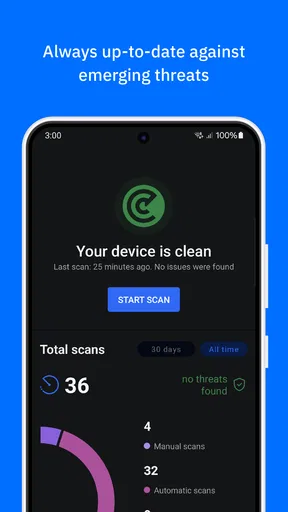
- Malware Scanner: The real-time detection system is impressive. The scanner ensures your device stays clean and secure by constantly monitoring for threats. It’s like having a watchdog that never sleeps.
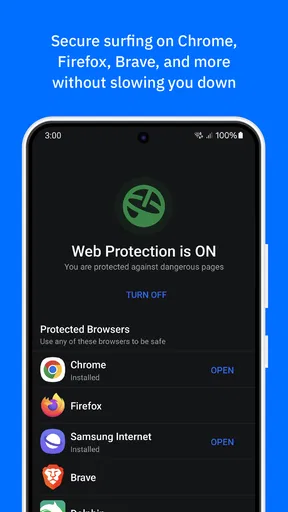
- Web Protection: Surfing the web becomes a worry-free experience. The app blocks malicious websites, keeping phishing attacks at bay. You can browse with peace of mind, knowing Bitdefender’s got your back.
- Anti-Theft Features: Ever misplaced your phone? The anti-theft module allows you to lock, locate, or even wipe your device remotely. It’s like having a "Find My Phone" feature on steroids.
- App Lock: Protect your privacy by locking sensitive apps with a PIN code. It’s easy to use and adds an extra layer of protection for your personal data.
Performance: How Does It Hold Up?
One of the things I really appreciate about Bitdefender Mobile Security is that it doesn’t hog your phone’s resources. The app runs smoothly in the background without draining your battery or slowing down your device. It’s efficient, which is a huge plus if you’re someone who’s always on the move.
The scanning process is quick and doesn’t interfere with your phone usage. Whether you’re streaming, gaming, or just browsing social media, Bitdefender ensures there’s no disruption. It’s like having a silent guardian.
Usability: User Experience Matters
When it comes to the user experience, Bitdefender excels with its intuitive design. The dashboard is clear and concise, displaying your device’s security status at a glance. It’s perfect for both tech enthusiasts and those who prefer simplicity.
Notifications are timely but not intrusive. You’re alerted to potential threats without the constant bombardment of alerts. It’s a delicate balance that Bitdefender manages to strike perfectly.
Pricing: Is It Worth It?
Bitdefender offers a free version, but to unlock its full potential, you’ll want to consider the premium subscription. The price is competitive, and given the robust features, it’s a worthy investment in your device’s security. Plus, there’s a trial period, so you can test the waters before committing.
For those who prefer to avoid subscriptions, the peace of mind it brings might just change your mind. After all, what’s the cost of protecting your personal data?
Final Thoughts: The Verdict
So, is Bitdefender Mobile Security the right choice for you? If you’re looking for a comprehensive security solution that’s easy to use and doesn’t compromise on performance, then absolutely. It’s a fantastic app that covers all bases, from malware protection to anti-theft features.
In a world where cyber threats are ever-evolving, Bitdefender stands as a reliable fortress for your mobile device. It’s like having a dedicated security team in your pocket, always ready to protect you from digital dangers. Give it a try, and you might just wonder how you ever managed without it.
Pros
- Comprehensive malware protection
- Minimal impact on device performance
- User-friendly interface
- Regular updates and improvements
- Effective anti-theft features
Cons
- Premium features require subscription
- Occasional false positives
- Limited free version capabilities
- Some features need internet connection
- May drain battery on older devices
FAQs for Bitdefender Mobile Security
What features does Bitdefender Mobile Security offer?
Bitdefender Mobile Security provides a comprehensive suite of features, including real-time malware protection, anti-phishing safeguards, and web security. It also offers a VPN for secure browsing, an anti-theft feature that helps locate lost devices, and a privacy advisor to monitor app access permissions. These features ensure robust protection for your device.
Is Bitdefender Mobile Security easy to use for beginners?
Yes, Bitdefender Mobile Security is designed with user-friendliness in mind. The interface is intuitive, allowing users to navigate easily through its features. It provides clear explanations and guidance, making it suitable for users who may not be tech-savvy. The app’s straightforward design ensures that even beginners can utilize its full potential without hassle.
Does Bitdefender Mobile Security affect device performance?
Bitdefender Mobile Security is optimized to have minimal impact on device performance. It runs efficiently in the background, ensuring that your device remains fast and responsive. While some security apps can be resource-heavy, Bitdefender is designed to use resources judiciously, providing protection without slowing down your device.
How does the anti-theft feature work in Bitdefender Mobile Security?
The anti-theft feature in Bitdefender Mobile Security allows you to remotely locate, lock, or wipe your device if it is lost or stolen. You can access these functions through the Bitdefender Central account on any web browser. This feature ensures your personal data remains secure, even if your device is compromised.
What kind of customer support does Bitdefender Mobile Security offer?
Bitdefender Mobile Security provides comprehensive customer support, including 24/7 assistance via chat, phone, or email. The support team is knowledgeable and responsive, ready to help with any issues or questions. Additionally, Bitdefender offers an extensive online knowledge base and community forums to assist users in finding solutions independently.


